How to Launch Your First TikTok Ads Campaign
To launch your first TikTok Ads campaign, register in TikTok Ads Manager, select an objective - for example, "Conversions" or "Traffic", configure your audience by age, interests, and location (e.g., Kyiv, Warsaw, Berlin), upload a vertical 9:16 video without watermarks, install the TikTok Pixel, and submit for review. The campaign typically becomes active within 24 hours after approval. Detailed creative requirements and the review process are outlined in the official documentation TikTok Ads Creative Guidelines.
Before submission, verify that the Pixel is installed on all key website pages and that the "Page View" event fires upon page load - this is the only way to obtain data for optimization during the first days.
- Registration in TikTok Ads Manager takes less than 10 minutes and requires email and phone number verification.
- For the "Conversions" objective, TikTok Pixel installation and event configuration via Events Manager are mandatory.
- Creative review takes 12 to 48 hours; delays most commonly result from text overlays on video or logos placed in corners.
- In Ukraine, Poland, Germany, the Czech Republic, and Slovakia, advertising is permitted only if it complies with the national personal data protection law and local advertising regulations.

What Is TikTok Ads and How to Launch Your First TikTok Ads Campaign
TikTok Ads is an in-app advertising platform enabling targeting of users based on interests, demographics, and behavior. To launch your first TikTok Ads campaign, go to TikTok Ads Manager, create an account, select an objective (e.g., Traffic or Conversions), configure your audience, budget, and creatives, then submit for review. Be sure to install the TikTok Pixel to track on-site actions - this is critical for optimization. The campaign typically launches within 24 hours after moderator approval.
In Ukraine, advertisers must comply with the provisions of the Law of Ukraine "On Personal Data Protection" No. 2297-VI and the requirements of the National Council on Television and Radio Broadcasting regarding the prohibition of covert advertising NKRTI, Resolution No. 1177. In Poland, rules set by the Office of Competition and Consumer Protection (UOKiK) and EU Regulation No. 2016/679 (GDPR) apply. In Germany, § 5a of the Act Against Unfair Competition (UWG) and transparency requirements imposed by the Bundesnetzagentur govern advertising. In the Czech Republic and Slovakia, national advertising laws aligned with EU Directive 2005/29/EC apply.
An account in TikTok Ads Manager is created either via a TikTok Business Profile or directly at ads.tiktok.com. For individuals and sole proprietors in Ukraine, the Tax Identification Number (TIN) and the State Registration Number of a Sole Proprietor (FOП) are required. In Poland, the NIP and REGON numbers are required. In Germany, the Steuernummer and Handelsregister-Nummer are required. In the Czech Republic, the IČO and DIČ are required. In Slovakia, the IČO and DIC are required. All data is verified automatically; manual verification may take up to three business days.
How to Launch Your First TikTok Ads Campaign: A Step-by-Step Process
You can launch your first TikTok Ads campaign in six steps: registration, objective selection, ad set configuration, creative upload, Pixel integration, and submission for review. Below is a detailed action sequence, reflecting the requirements for the markets of Ukraine, Poland, Germany, the Czech Republic, and Slovakia.
| Step | Action | Regional specifics |
|---|---|---|
| 1. Registration | Go to ads.tiktok.com, select "Create Account", and confirm your email and phone number | In Ukraine - UAH support; in Poland - PLN; in Germany - EUR; in the Czech Republic - CZK; in Slovakia - EUR. Currency is fixed upon account creation. |
| 2. Campaign objective | Select one objective: "Traffic", "Conversions", or "Brand Awareness" | The "Conversions" objective requires prior Pixel and event setup. In Germany and Poland, a link to the privacy policy must be displayed on the website when using the Pixel. |
| 3. Audience | Specify age, gender, interests, and location (e.g., "Kyiv", "Warsaw", "Berlin") | In Ukraine, targeting by religious or political preferences is prohibited. In Germany, targeting by race, origin, or religion is prohibited under § 19 UWG. |
| 4. Creative | Upload a vertical 9:16 video, up to 60 seconds long, without watermarks or corner logos | In the Czech Republic and Slovakia, videos containing speech must include subtitles. In Poland, it is recommended to state the price in PLN and the offer's validity period, if applicable. |
When configuring the ad set, setting the budget correctly is essential. TikTok Ads supports two budget types: daily and total. A daily budget is the maximum amount the system will spend per day. A total budget is the cap for the entire campaign duration. Minimum daily budget values vary depending on the selected account currency and are displayed in the Ads Manager interface when selecting a currency. Current thresholds are always visible during campaign setup.
How Long Does It Take to Launch Your First TikTok Ads Campaign?
Launching your first TikTok Ads campaign typically involves several sequential steps: initial configuration in Ads Manager, creative review by TikTok, and final activation after approval. For example, if you submit your campaign Monday morning, it may begin serving as early as Tuesday afternoon. Note that delays may occur if your video fails to meet requirements (e.g., corner logos, text overlays) or if the Pixel is misconfigured - verify all settings before submission.
Review timelines are governed by internal platform policies and do not depend on the advertiser's country of registration. According to TikTok's official help article, "most ads are reviewed within 24 hours, but some may take up to 48 hours" TikTok Ads Review Process. In case of rejection, the system specifies the reason - most frequently a violation of Section 3.1 of the Creative Guidelines ("No text overlays or logos in corners") or Section 4.2 ("No misleading claims about product availability or pricing").
Important: In Ukraine, Poland, and Germany, advertising of goods and services must comply with national fair advertising standards. For example, in Poland, the Office of Competition and Consumer Protection (UOKiK) requires documentary evidence for any claim about product advantages UOKiK, Regulation on Advertising. In Germany, the Bundesnetzagentur verifies compliance with § 5a UWG - specifically, the prohibition on misleading consumers. In the Czech Republic and Slovakia, equivalent restrictions are codified in national advertising and consumer rights laws.
If your campaign fails review twice consecutively, do not change only the text or color - reshoot the video entirely. TikTok's algorithms are trained to recognize recurring patterns, and repeated submissions of identical creatives reduce approval chances.
Best Practices for Launching Your First TikTok Ads Campaign as a Beginner
Beginners should start with a single campaign using the "Traffic" objective, a moderate initial budget, an audience relevant to the target market, and the In-Feed Video format. Use a vertical video with a mobile-optimized aspect ratio; the first few seconds must capture attention with a vivid visual hook, free of logos. Install the TikTok Pixel and configure the "Page View" event. Avoid complex audiences - begin with simple combinations, such as interests and location, rather than retargeting. Test multiple distinct creatives within one ad set.
These recommendations are adapted to the realities of the target markets. In Ukraine, Poland, Germany, the Czech Republic, and Slovakia, there is no universal "starting" budget - it depends on current targeting conditions, including audience competition and average cost-per-click (CPC) in the region. For example, if the CPC in a given city and age group is approximately one-tenth of the local currency unit, and you aim for hundreds of clicks per day, your daily budget may be a multiple of that CPC. Such calculations are illustrative and depend on specific launch conditions.
The In-Feed Video format remains the most accessible for beginners: it is supported across all five countries, does not require prior account approval, and allows use of standard Pixel events. Unlike Spark Ads or Branded Effects, it does not require additional brand verification. For initial tests, three video variants are sufficient - each should fulfill one function: the first attracts attention, the second sparks interest, and the third prompts action. Do not combine all three functions into a single video.
Technical Requirements for Creatives and the Pixel in TikTok Ads
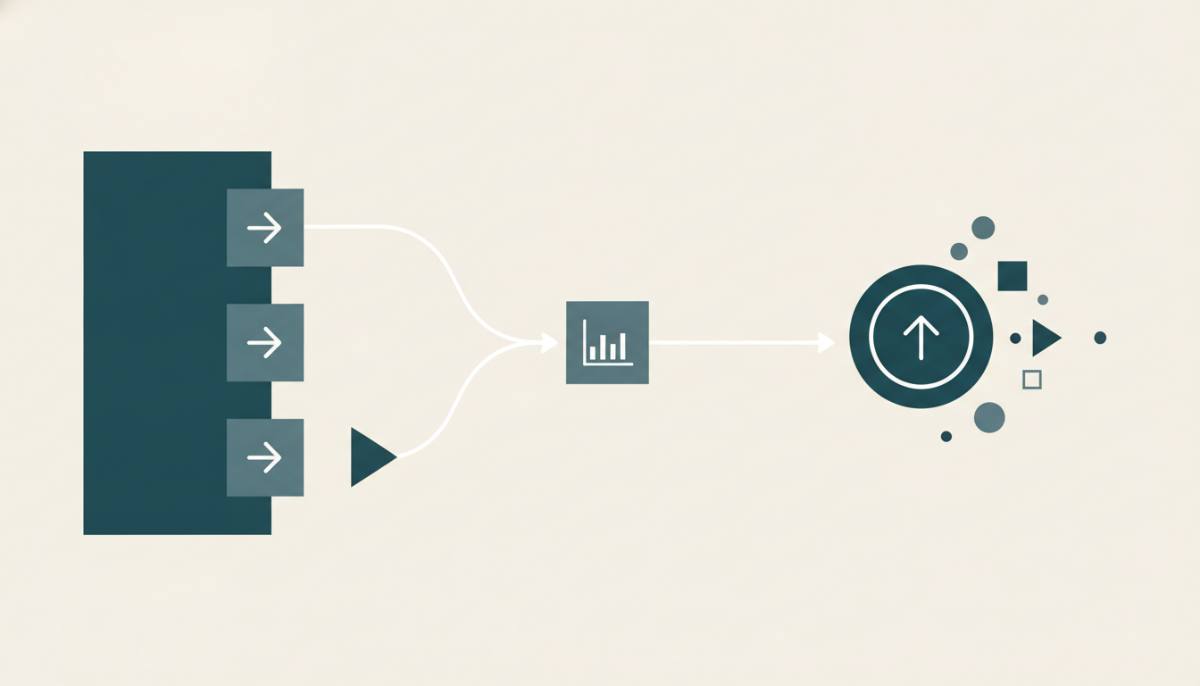
TikTok Ads requires strict adherence to technical creative specifications and correct Pixel integration. Videos must be vertical, conform to mobile aspect ratios, fall within the allowed duration range, and contain no watermarks, corner logos, or text overlays obscuring the main image. The Pixel is installed via code on the website or through Google Tag Manager. For "Conversions" objectives, at least one event must be configured - for example, "Page View", "Add to Cart", or "Purchase".
The TikTok Pixel is a JavaScript code snippet placed in the <head> section of HTML pages. It collects user action data but does not store personal data directly. Under GDPR and Ukrainian legislation, its use requires user consent obtained prior to code installation. In Poland and Germany, this is implemented via a cookie banner offering explicit "Accept" or "Reject" options. In the Czech Republic and Slovakia, equivalent rules apply - consent must be freely given, specific, and informed.
All Pixel events must be tested in "View Event" mode in TikTok Events Manager. If an event does not register shortly after page load, verify: whether the code is installed on all relevant URLs, whether the Pixel ID in the code matches the ID in the interface, and whether event sending is enabled in settings. Errors in these parameters can significantly hinder optimization during the early phase of a campaign.
Common Pixel Setup Mistakes
- The code is placed only on the homepage, not on product or cart pages
- The Pixel ID in the code does not match the ID in Ads Manager
- The "Purchase" event is configured but does not transmit the order value - the system cannot calculate ROAS
- An outdated Pixel code is used (v1 instead of v2)
Do not use "All Events" as an optimization objective. TikTok optimizes exclusively for the event explicitly selected when creating the campaign - even if other events fire more frequently. If the goal is purchases, configure the "Purchase" event and ensure it transmits the "value" parameter.
Frequently Asked Questions
What Is TikTok Ads and How to Launch Your First TikTok Ads Campaign?
TikTok Ads is an in-app advertising platform enabling targeting of users based on interests, demographics, and behavior. To launch your first campaign, go to TikTok Ads Manager, create an account, select an objective (e.g., Traffic or Conversions), configure your audience, budget, and creatives, then submit for review. Be sure to install the TikTok Pixel to track on-site actions - this is critical for optimization. The campaign typically launches within 24 hours after moderator approval.
How to Launch Your First TikTok Ads Campaign: A Step-by-Step Process?
You can launch your first TikTok Ads campaign in several sequential steps: 1) Register in Ads Manager; 2) Select an objective (e.g., "Conversions"); 3) Create an ad set - specify audience, location (e.g., Kyiv, Warsaw, Berlin), budget, and schedule; 4) Upload a video with the appropriate aspect ratio and duration, without watermarks; 5) Configure the Pixel and events; 6) Submit for review. Review takes time, and the campaign activates only after approval.
How Long Does It Take to Launch Your First TikTok Ads Campaign?
Launching your first TikTok Ads campaign takes 1 to 3 days:
one to two hours to configure in the interface, 12-48 hours for review, and one to two hours to activate after approval. Timelines do not depend on the advertiser's country of registration. On average, the campaign begins serving 24 hours after submission - provided all parameters meet requirements TikTok Ads Review Process.
What Are the Minimum Budgets in TikTok Ads for Ukraine, Poland, Germany, the Czech Republic, and Slovakia?
The minimum daily budget in TikTok Ads depends on the selected account currency and is displayed in the interface during campaign creation. Current values are always available during setup and may change at the platform's discretion without prior notice. These values are not recommendations for effective launch - the actual starting budget is determined by current targeting conditions, including CPC and conversion cost in a specific niche and region.
Is the TikTok Pixel Mandatory for Your First Campaign?
Yes, if your campaign objective is "Conversions". Without the Pixel, the system cannot optimize delivery toward on-site actions. For "Traffic" or "Brand Awareness" objectives, the Pixel is not mandatory, but installation is recommended - it provides audience analytics data and enables future retargeting setup. In Ukraine, Poland, Germany, the Czech Republic, and Slovakia, Pixel usage requires compliance with personal data protection legislation: user consent must be obtained before code loading, and a privacy policy must be published on the website.
Can You Launch TikTok Ads Without a Business Profile?
Yes. Registration in TikTok Ads Manager is possible directly via ads.tiktok.com without linking to a TikTok Business Profile. However, access to advanced features - such as Spark Ads or product catalog integrations - requires a verified Business Profile. In Ukraine, Poland, Germany, the Czech Republic, and Slovakia, profile verification is conducted by uploading documents: for sole proprietors (FOП), a registration certificate; for Polish limited liability companies (sp. z o.o.), a KRS extract; for German GmbHs, a Handelsregisterauszug; for Czech and Slovak companies, a commercial register extract. Verification takes up to three business days.
Which Creative Formats Does TikTok Ads Support?
Three primary formats are available for launch: In-Feed Video, TopView, and Branded Hashtag Challenge. In-Feed Video is the only format that requires no prior brand verification and is fully supported across all five countries without restrictions. TopView is available only to advertisers with a verified Business Profile and a minimum monthly budget - terms are published in the "Media Kit" section on ads.tiktok.com. Branded Hashtag Challenge requires separate approval and is unsuitable for first-time campaigns. All videos must comply with aspect ratio requirements (9:16), duration (5-60 seconds), and the prohibition on text overlays TikTok Ads Creative Guidelines.
Conclusion
Launching your first TikTok Ads campaign in Ukraine, Poland, Germany, the Czech Republic, and Slovakia requires adherence to technical, legal, and operational requirements. Key steps include account registration with local identifiers, objective selection, audience configuration considering national targeting restrictions, upload of video compliant with standard vertical formatting and regional requirements for subtitles and pricing, Pixel installation and validation, and compliance with personal data protection and fair advertising laws. Review takes time, and activation occurs automatically after approval. Campaign effectiveness depends not on budget size but on correct event configuration, creative quality, and alignment of the advertising message with local regulatory requirements.